How to Deposit Money into BDG Game in India
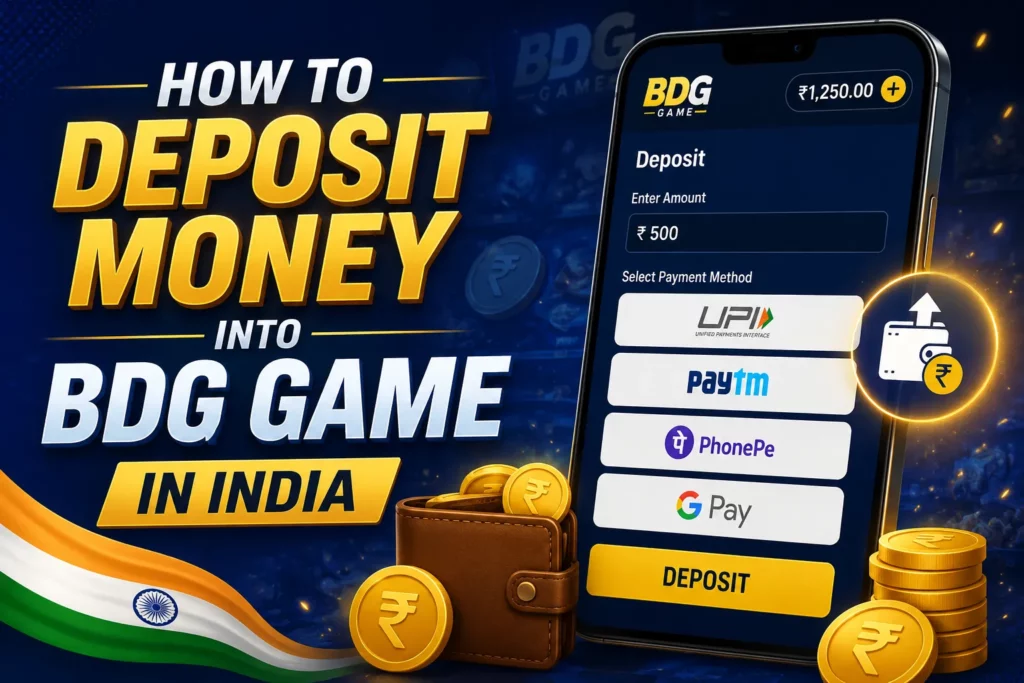
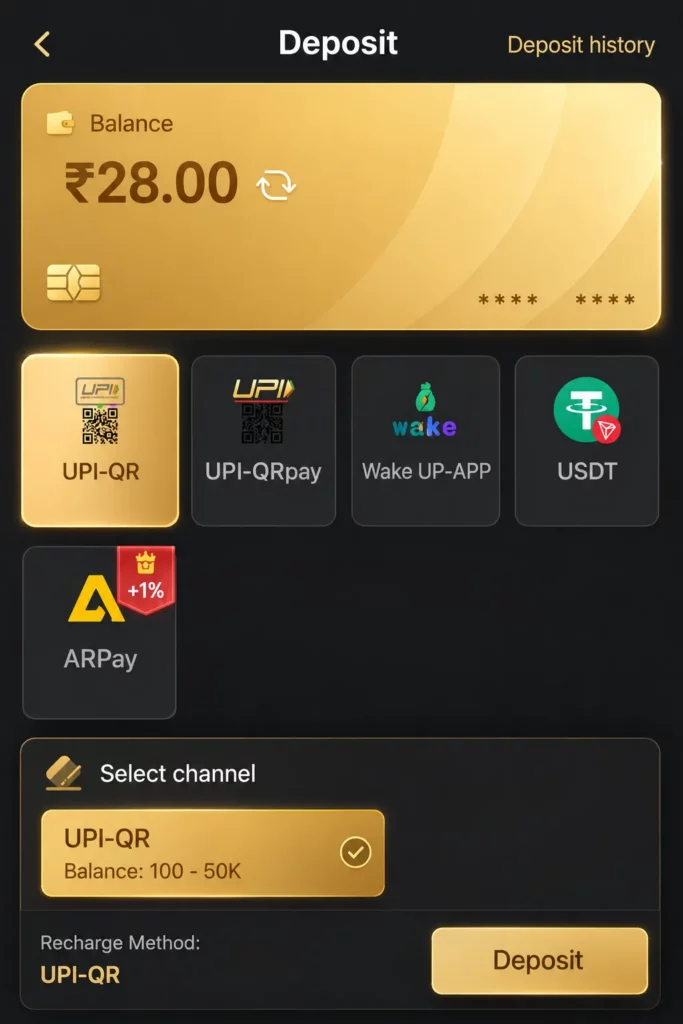
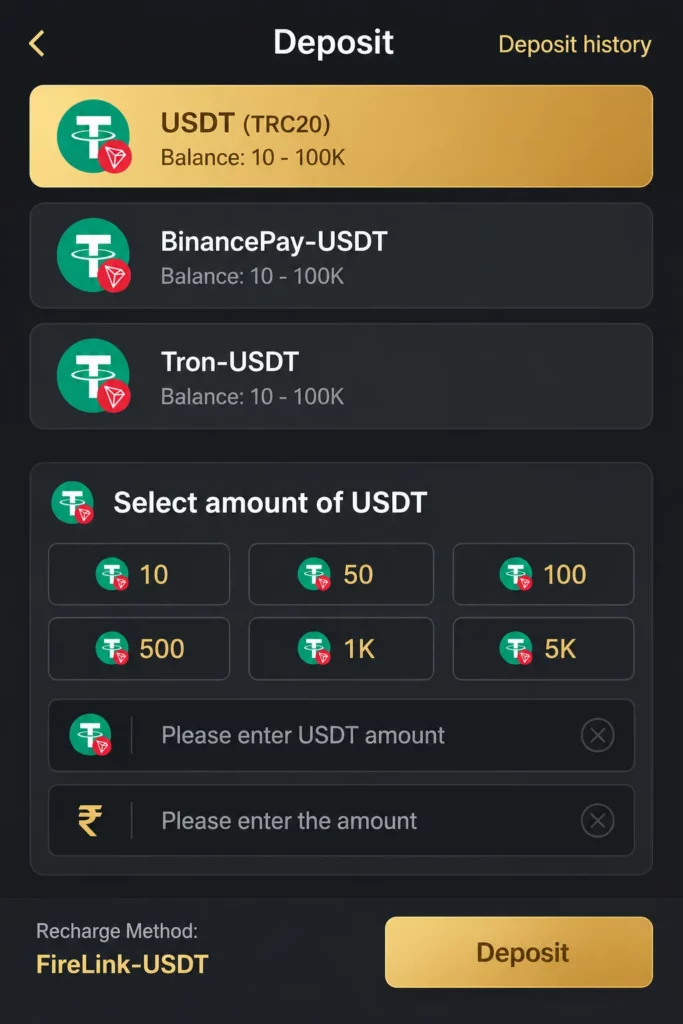
Adding money to BDG Game starts from the Deposit section. Indian users have options such as UPI, Wake Up-App, ARPay and USDT. You can deposit as low as ₹100 to play the game.
How to Deposit Money into BDG Game in India
The available methods are the following:
| Payment method | How it may work |
|---|---|
| UPI | Pay through QR code |
| Wake-up-App | Select it, enter the amount, and follow the instructions |
| ARPay | It is a digital currency payment system. Activate your wallet to deposit. |
| USDT | Connect your Firelink, Tron or Binance Pay |
What Is the Minimum Deposit?
The minimum deposit is according to the payment method you selected. It is:
| Payment method | Minimum Amount You can Deposit |
|---|---|
| UPI | ₹100 |
| Wake-up-App | ₹100 |
| ARPay | 10 USDT |
| USDT | 10 USDT |
How to Deposit Money into BDG Game
Follow these steps:
- Log in to your BDG Game account.
- Open the Deposit area.
- Choose an available payment method.
- Enter the amount in INR.
- Review the amount and payment details.
- Complete the payment in your UPI app. For Crypto connect with binance.
- Save the payment receipt.
- Copy the UPI reference number or transaction ID.
- Enter the transaction ID in BDG Game
- Return to your wallet and check the balance.
Do not send money to a payment account found in a random message, social media post, or unofficial support chat. Use only the payment details displayed in your logged-in account.
How to Deposit Using ARPay
ARPay is a third-party payment service where you can add money through ARB digital currency. The deposit process is designed to be fast. Follow these steps:
- Log in to your BDGWin account.
- Open the Deposit or Recharge section.
- Select AR Wallet or ARPay.
- Tap How to activate AR wallet if your wallet is not active.
- Follow the activation instructions shown in the app.
- Add the required BDGWin balance to your AR Wallet.
- Return to the Deposit section.
- Enter the amount you want to deposit.
- Check the payment details carefully.
- Confirm the recharge.
- Wait for the balance to appear in your BDGWin account.
How Long Does a Deposit Take?
The time can vary. UPI deposits may appear within a few minutes, while ARPay and USDT can take longer. A deposit may take longer because of:
- Payment gateway delays.
- Incorrect transaction details.
- Manual verification.
- Bank or UPI service problems.
- A mismatch between the payment amount and the deposit request.
- A closed or restricted payment account.
Wait for the period shown inside your BDG Game account. Avoid making another payment until the first transaction is confirmed.
Why Is My Deposit Not Showing?
Your BDG Game deposit may be pending or missing for several reasons:
- The payment is still being verified.
- The UPI transaction failed.
- The wrong UPI ID or QR code was used.
- The transaction ID was entered incorrectly.
- The payment amount did not match the requested amount.
- The wallet system is delayed.
- The payment account is no longer active.
- The service has blocked or restricted the transaction.
First, check whether money was deducted from your bank or UPI app. Then check the transaction status in that app.
How to Fix a Failed Deposit
Use this process:
- Check the payment status in your bank or UPI app.
- Confirm the amount, date, and receiver details.
- Take a screenshot of the successful payment.
- Save the UPI reference number or UTR.
- Open the official BDG Game support area.
- Send the transaction details only through the official channel.
- Ask for a review of the missing balance.
- Do not send another payment until the first issue is resolved.
Never share your UPI PIN, password, OTP, card PIN, or full banking login details. Also, be careful with support accounts that ask for an extra verification fee before releasing your balance.
Frequently Asked Questions
Is BDG game real or fake?
It is a real game and help payout real money. Deposit now and test yourself.
How do I deposit money into BDG Game?
Log in, open the Wallet or Recharge section, select Deposit, choose an available payment method, enter the amount, and complete the payment. Then save and submit the transaction ID if requested.
Does BDG Game accept Paytm?
No, currently it doesn’t support Paytm.
Can I use PhonePe or Google Pay?
No, currently these deposit methods are not allowed.
What is the minimum BDG Game deposit?
The minimum deposit amount is 100.
Conclusion
The BDG Game deposit process is simple: open the wallet, choose Deposit, select UPI or another available method, enter the INR amount, and complete the payment. Still, payment options, limits, and processing times can change.
For a safer experience, verify the receiver, save every transaction record, protect your payment PIN, and use only trusted account channels. Most importantly, confirm that the service is lawful and available in your location before adding money.